
Web Browser Function
Available operations with the Web Browser function
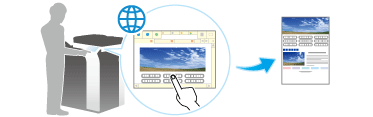
Enabling the Web browser function on this machine allows you to access a Web browser using the Touch Panel of this machine.
The Web browser function supports the following operations.
Displaying and printing Web contents on the Internet or intranet
Displaying, printing, and saving a file on the Internet or intranet
Uploading scanned original data (via a server on the Internet or intranet)
Uploading a file in a User Box (via a server on the Internet or intranet)
Using a file in a User Box of an MFP on the network (via Web Connection)
Using dedicated Web browser settings (must be associated with My Panel Manager)

The optional Upgrade Kit UK-204 and i-Option LK-101 v3 are required to use the Web browser function on this machine.
Specifications of Web browser
The following shows the major specifications of the Web browser to be used on this machine.
Item | Specifications |
|---|---|
Browser engine | WebKit |
Protocol | HTTP (HTTP/0.9, 1.0, 1.1), HTTPS, TCP/IP |
Markup language | HTML 4.01, a part of HTML 5, XHTML 1.1/Basic |
Style sheet | CSS1, 2, 3 |
Script language | JavaScript 1.7, ECMAScript 3rd Edition, Ajax (Limited to the JavaScript-supported range only) |
DOM | Level 1, 2 |
File type | JPEG, BMP, PNG, GIF, animation GIF, PDF, Flash 10 and earlier |
SSL/TLS version | SSL 3.0, TLS 1.0 |
Character code | Japanese (Shift_JIS), Japanese (ISO-2022-JP), Japanese (EUC-JP), Chinese Simplified (GB2312), Chinese Traditional (Big5), Western European (ISO-8859-1), Unicode (UTF-8) |
PDF viewer | Adobe® Reader® LE |
Flash player | Adobe® Flash® Player 10 |
Note that the following functions are not available when using Flash Player installed in the Web browser.
Function that causes an event by key operations
Function that pastes or obtains data such as character strings from the clipboard
Context menu
Flash print function
Function that executes JavaScript through Flash Player
Function that operates Flash Player through JavaScript
Screen without window (pop-up)
Flash favorite function
Function that establishes a data real-time communication via the Flash Media Server
XMLSocket-based communication function
The Web browser allows you to intuitively operate Web contents using gestures such as tapping and flicking. For details on the gestures supported by this machine, refer to Here. However, the long-tap operation is not supported.